
Phishing Attacks: How to Spot and Stop Them Before They Strike

Phishing attacks are malicious communications that work by tricking people into taking adverse actions through manipulating their emotions and creating a sense of urgency. Several Brightside members have lost significant amounts of money to these attacks. Having been targeted twice this week myself, I thought it's a go time to help our community recognize and prevent these threats. Let's start with a couple of real examples and how I was able to detect them.
At the start of my work week, I received an invitation from the President of a vendor company that I have regular communication with inviting me to participate in an RFP/investment opportunity. The email communication was professional, no spelling errors, no obvious pressure points, and the signature was complete and standard, including a photo of the sender, their name and contact information, and company logo. There was an PDF attachment, which is typically safe. I clicked on the PDF, and things got "phishy." First, the document stated there was a response deadline in one week. Second, there was a link embedded into the pdf to access the "RFP site". When I hovered my mouse over the link, I noticed that it connected to a 3rd party website I didn't recognized. I was able to confirm that the president of this company had his account hacked by communicating directly with their support team and my typical contact at the company.
In the second case, I was contacted by a Brightside member sharing a link to an excel file portal. In this case, I was alerted because this member doesn't normally send messages to me, and because I was aware that I didn't expect any communication or plans to share a file. I responded to that email asking for confirmation, and received an affirmative response - "I sent the file." But this was a 3rd party who had taken over the member's email account! Still suspicious, I called the member and asked for confirmation over the phone.
I was able to recognize these attempts because I recently worked in a large company that conducts regular trainings on how to detect phishing attacks, and even sent out periodic "test" attacks to make sure our team was properly recognizing and reporting phishing attacks. But as small business owners, we don't really have access to those kinds of resources. Hopefully this blog post will help you be prepared and protect yourself.

Phishing attacks use trust as the bait
Phishing is a trick that pushes someone to share sensitive information, open a dangerous file, or take an unsafe action. The attacker may pretend to be a bank, delivery company, cloud service, employer, charity, government agency, a client, a vendor, or even a friend.
The goal is usually one of these:
Steal usernames and passwords
Capture one-time passcodes
Install malware
Get payment card or bank details
Convince someone to transfer money
Gain access to email, storage, or work systems
A phishing message often creates pressure. That sense of urgency is not accidental. It is there to trigger an emotional reaction before reason sets in.
Some phishing attacks target large numbers of people. Others are more personal. A targeted attack may use names, job titles, recent purchases, public posts, or details from a leaked database. That extra detail can make the message feel real.
The most common phishing channels are easy to miss
Phishing no longer lives only in email. Attackers go wherever people read messages and click links.
Email phishing
Email remains common because it is cheap to send and easy to disguise. A phishing email may copy the look of a known service and ask the reader to “verify” an account.
Watch for attachments that claim to be invoices, shipping forms, scanned documents, or shared files. A file does not need to look strange to be unsafe.
Ask yourself - am I expecting this message from this sender? Is it a normal or unusual communication? Do I feel pressured to take action, such as clicking a button, following a link, or opening an attachment? In most cases, responding shouldn't be so urgent that it can't wait for you to verify the message with the sender using a different mode of communication.
Text message phishing
Text phishing, often called smishing, uses SMS or messaging apps. These messages tend to be short and urgent.
Common themes include:
Missed deliveries
Unpaid tolls or fees
Bank fraud alerts
Prize claims
Account lock warnings
Two-factor authentication prompts
Because phones show less detail than computers, fake links can be harder to inspect. That makes caution even more useful. Generally, if you're getting an unsolicited text message that asks you to take some action, it shouldn't be trusted. Most legitimate entities, such as banks or vendors, have policies that prohibit solicitation of action via text messages.
Voice phishing
Voice phishing, also called vishing, uses phone calls. The caller may claim to be from a bank, technical support team, tax office, or delivery service.
A common trick is to keep the person on the line while asking them to open an app, install software, read out a code, or approve a login. Real support teams should not need remote access to a personal device without a clear, expected reason.
When in doubt, disconnect from the call and then look up and call the published customer service line for the caller's business entity to verify that the phone call is legitimate.
Fake websites and search results
Some phishing starts with a website rather than a message. A fake login page may look almost identical to the real one. Attackers may also create lookalike sites with slightly changed domain names.
A search result can also lead to a fake support page or a malicious download. For important services, type the known address directly or use a trusted bookmark.
If you use a password manager, generate, store and autofill passwords, this tool can help you verify when a website is fake. If you're password manager doesn't autofill the username and password on a site that you normally visit, then check the web address because you may be on a fake site.
Warning signs that a message may be phishing
A single clue does not always prove a message is fake. Real messages can have errors, and scam messages can look polished. The best approach is to look for patterns.
Warning sign | What it may look like | Safer response |
Urgency | “Your account closes today” | Pause and check through the official app or website |
Threats | “Legal action will begin” | Do not reply using the message thread |
Strange link | A misspelled domain or shortened URL | Type the address yourself |
Unexpected attachment | Invoice, receipt, or form you did not request | Confirm with the sender another way |
Request for codes | Asking for a one-time passcode | Never share login codes |
Odd sender address | Name looks familiar, address does not | Inspect the full address |
Payment change | New bank details or gift card request | Verify by phone using a known number |
One of the strongest signals is a request that breaks normal rules. A bank should not ask for a password by email. A delivery firm should not need full card details through a random link. A manager should not ask for gift cards through a personal email account.
If a message tries to rush a private action, treat the rush itself as evidence.
How to inspect links without getting trapped
Links are one of the main tools in phishing attacks. They often lead to fake login pages or malware downloads.
On a computer, hover over a link before clicking. Look at the real destination in the corner of the browser or email app. On a phone, press and hold the link to preview it, but take care not to open it by mistake.
Pay close attention to the domain name. Attackers may use small changes that are easy to miss.
Examples of suspicious patterns include:
Extra words added to a known brand name
Misspellings that look close to the real name
Numbers replacing letters
Strange endings after the domain
Long links filled with random characters
Shortened links where the destination is hidden
The most important part of a web address is the main domain. In `login.example.com`, the main domain is `example.com`. In `example.com.security-check.info`, the main domain is `security-check.info`, not `example.com`.
A padlock icon can show that the connection is encrypted, but it does not prove the site is safe. Criminals can use encrypted websites too. Treat the padlock as one small check, not a guarantee.
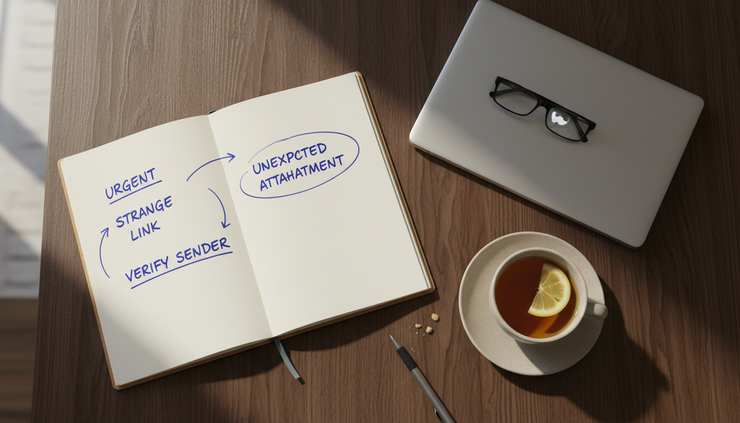
How to stop phishing before it works
The best defense combines careful habits with simple security settings. No single step catches everything, but several layers make phishing much harder to pull off.
Use a password manager
A password manager does more than remember passwords. It also helps spot fake websites. If the site is not the real domain, the password manager usually will not autofill the saved login.
Use strong, unique passwords for important accounts. Reusing passwords is risky because one stolen password can unlock other services.
Turn on multi-factor authentication
Multi-factor authentication, often called MFA, adds a second step to logging in. This may be an app prompt, security key, passcode, or biometric check.
For the strongest protection, use an authenticator app or hardware security key when available. SMS codes are better than no second factor, but they can still be targeted through SIM swap scams or message theft.
Never share a one-time code with someone who calls, texts, or emails. If a person asks for the code, assume the request is unsafe.
Keep software updated
Updates often fix security flaws. This matters for phones, computers, browsers, email apps, and password managers.
Turn on automatic updates where possible. Restart devices when updates need it. Many attacks depend on old software that has not been patched.
Use official routes for sensitive actions
If a message says there is a problem with an account, do not use the link in the message. Open the official app or type the known web address into the browser.
For banks, taxes, healthcare, insurance, and payment services, this habit is especially useful. It removes the attacker’s link from the process.
Check requests through a second channel
If a request involves money, login details, personal information, or account changes, verify it another way. Call a known number, use an existing contact, or log in through the official site.
Do not simply reply to the same email. If the account has been spoofed or compromised, the attacker may receive the reply.
Reduce what attackers can learn
Attackers often use public information to make messages feel personal. Review what is visible on public profiles, forums, resumes, and old posts.
There is no need to disappear from the internet. The goal is to avoid giving strangers easy answers to security questions, travel plans, personal schedules, or names of close contacts.
What to do if a phishing message arrives
When a suspicious message appears, the safest response is simple.
Do not click the link. Do not open the attachment. Do not reply. Do not call a number listed in the message.
Instead:
Save evidence if needed
Take a screenshot or keep the message if it relates to fraud, work, or a financial account.
Report it
Use the report phishing button in the email service, messaging app, or workplace security tool if available.
Block the sender
This will not stop every attack, but it can cut off repeat messages from the same source.
Delete the message
Once reported and saved if needed, remove it to avoid accidental clicks later.
For work devices or accounts, follow the organization’s reporting process. Fast reporting helps others avoid the same trap.
What to do if you clicked a phishing link
Clicking a link does not always mean damage has happened. The next steps depend on what came after the click.
If you only opened the page and entered nothing, close the page. Run a security scan if a download started or the device acts strangely.
If you entered a password, change it right away from the real website or app. If you use that same password anywhere else, change it there too. This is one reason unique passwords matter.
If you entered payment details, contact the bank or card provider using the number on the card or the official app. Ask about blocking the card, reversing charges, and monitoring activity.
If you shared a one-time code, check recent account activity. Log out of other sessions if the service allows it. Change the password and review recovery email addresses, phone numbers, forwarding rules, and linked devices.
If you installed software, disconnect from the internet and seek trusted technical help. Do not keep using the device for banking or sensitive accounts until it has been checked.
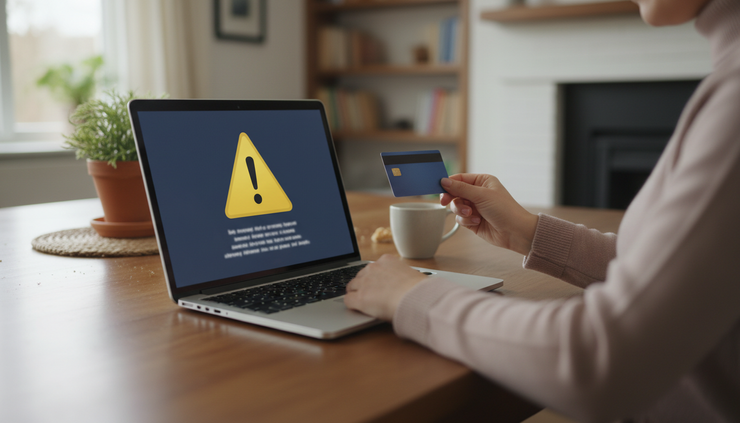
How families and small teams can build safer habits
Phishing prevention works best when people know what to do before a stressful message appears. A short plan is enough.
Create a rule for urgent money requests. For example, any request to send funds, buy gift cards, change bank details, or share login codes must be checked by voice using a trusted number.
Set up password managers for shared household or team accounts. Avoid sending passwords through chat messages. If access must be shared, use the sharing feature inside a trusted password manager.
Keep a short list of official websites for banks, utilities, schools, healthcare providers, and key services. Bookmarks reduce the chance of visiting a fake page after a search or text message.
Talk through examples without blame. Anyone can be targeted. Shame makes people hide mistakes, while a calm response helps limit harm. The goal is quick reporting and quick recovery.
To Protect yourself from phishing attacks, build a habit of pausing before any message asks for money, credentials, private data, or urgent action.
A quick phishing check before you click
Use this mental checklist when a message feels even slightly off:
Was the message expected?
Does the sender address match the real organization?
Is the message pressuring immediate action?
Does the link go to the correct domain?
Is it asking for a password, code, payment, or private information?
Would the sender or organization normally contact you this way?
Can you verify it through an official app, website, or known phone number?
If any answer feels wrong, step away from the message. A real issue can usually wait long enough for verification. A phishing attack often depends on speed.
Stay skeptical, not scared
Phishing attacks are common because they exploit normal human habits: trust, speed, helpfulness, and concern. That does not mean every message deserves panic. It means sensitive requests deserve a second look.
The best defense is a calm routine. Check the sender. Inspect the link. Avoid sharing codes. Use strong, unique passwords. Turn on multi-factor authentication. Verify unusual requests through a trusted channel.
A few extra seconds can be enough to stop a stolen login, a drained account, or a compromised device. When a message pushes you to act fast, slow down. That pause is often the thing that keeps you safe.


Comments